Open it and have a look
Nine working demos, one per specialty. Sample patients, every screen reachable, nothing to install and nothing to sign up for.
Pick a specialty
Each tab below shows a real screen from that specialty’s demo. Nothing here is a mock-up or an artist’s impression — they are photographs of the running system.
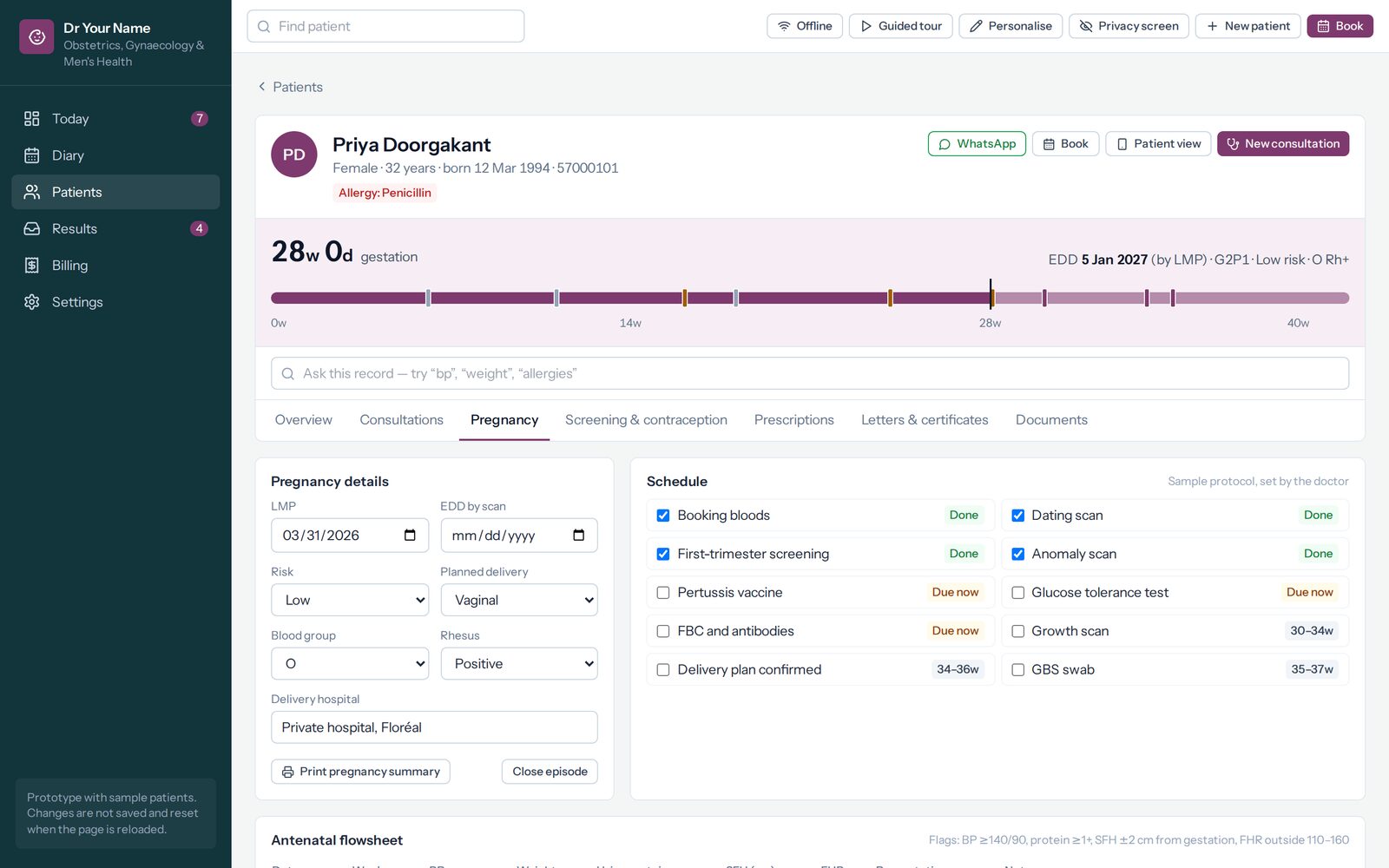
Obstetrics & gynaecology
Every antenatal visit on one flowsheet, with the summary she carries to the hospital a click away.
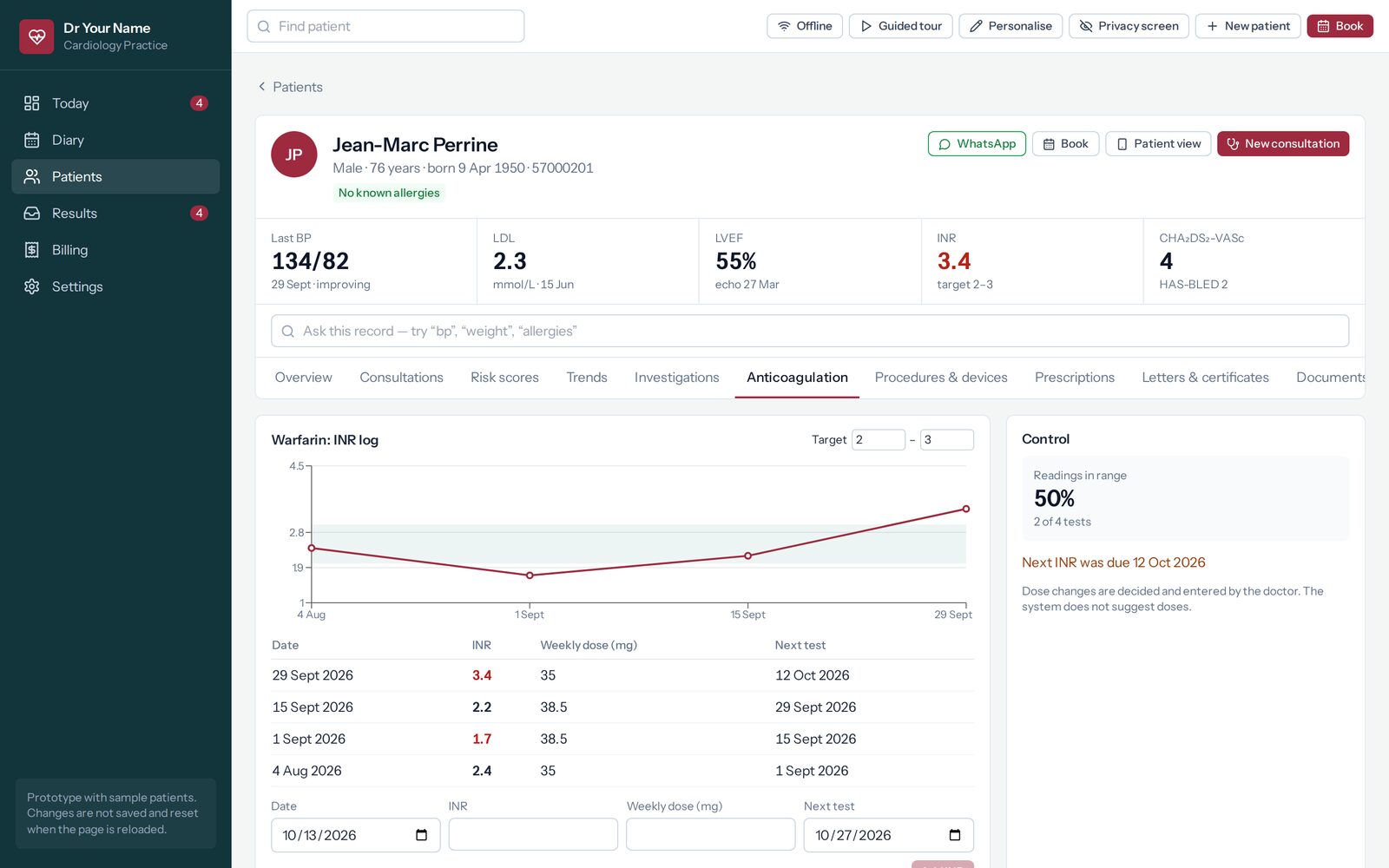
Cardiology
The warfarin log with the target range drawn on it, and what share of tests fell inside it.
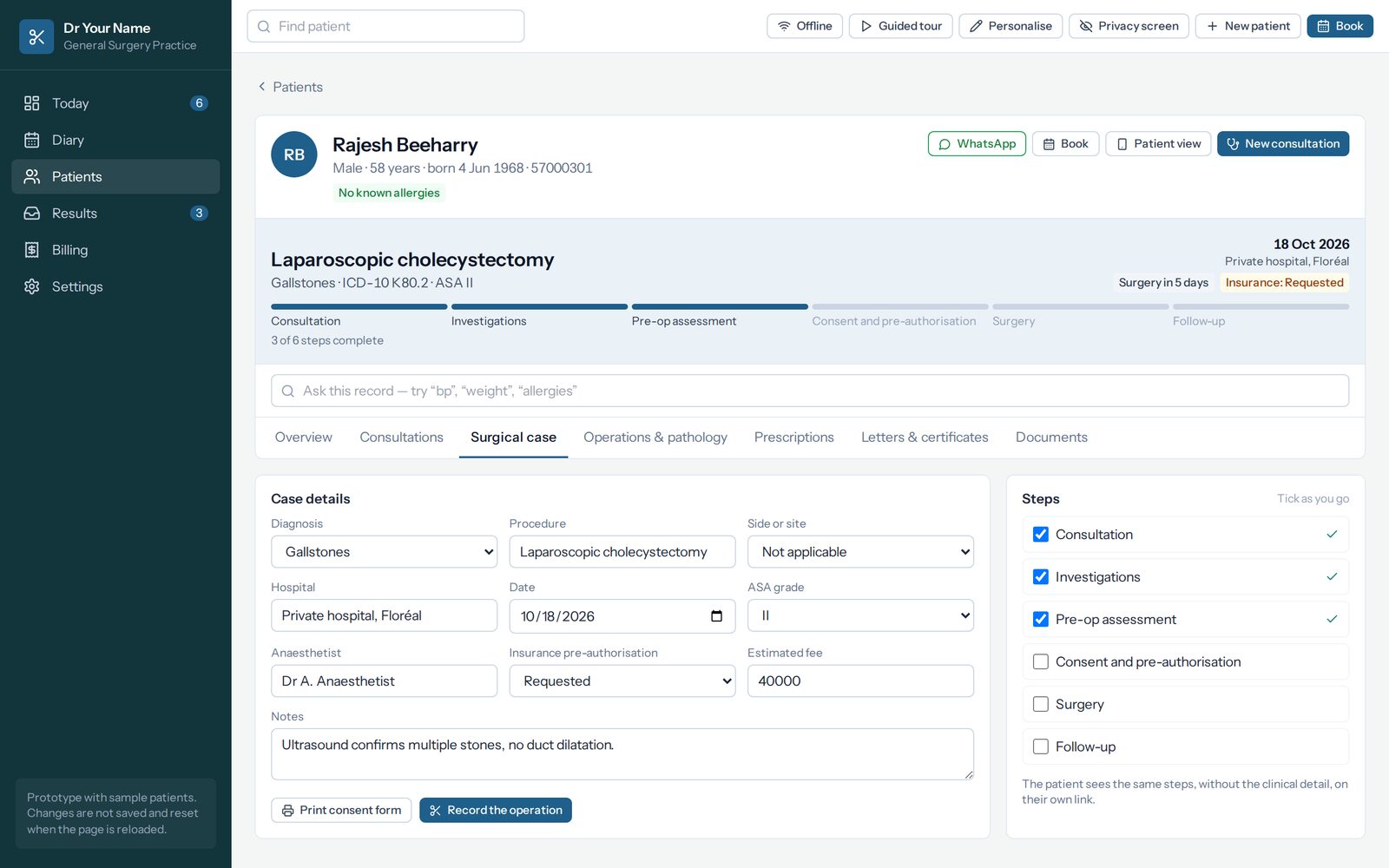
General surgery
One case from listing to histology, with the steps that are done and the ones that are not.
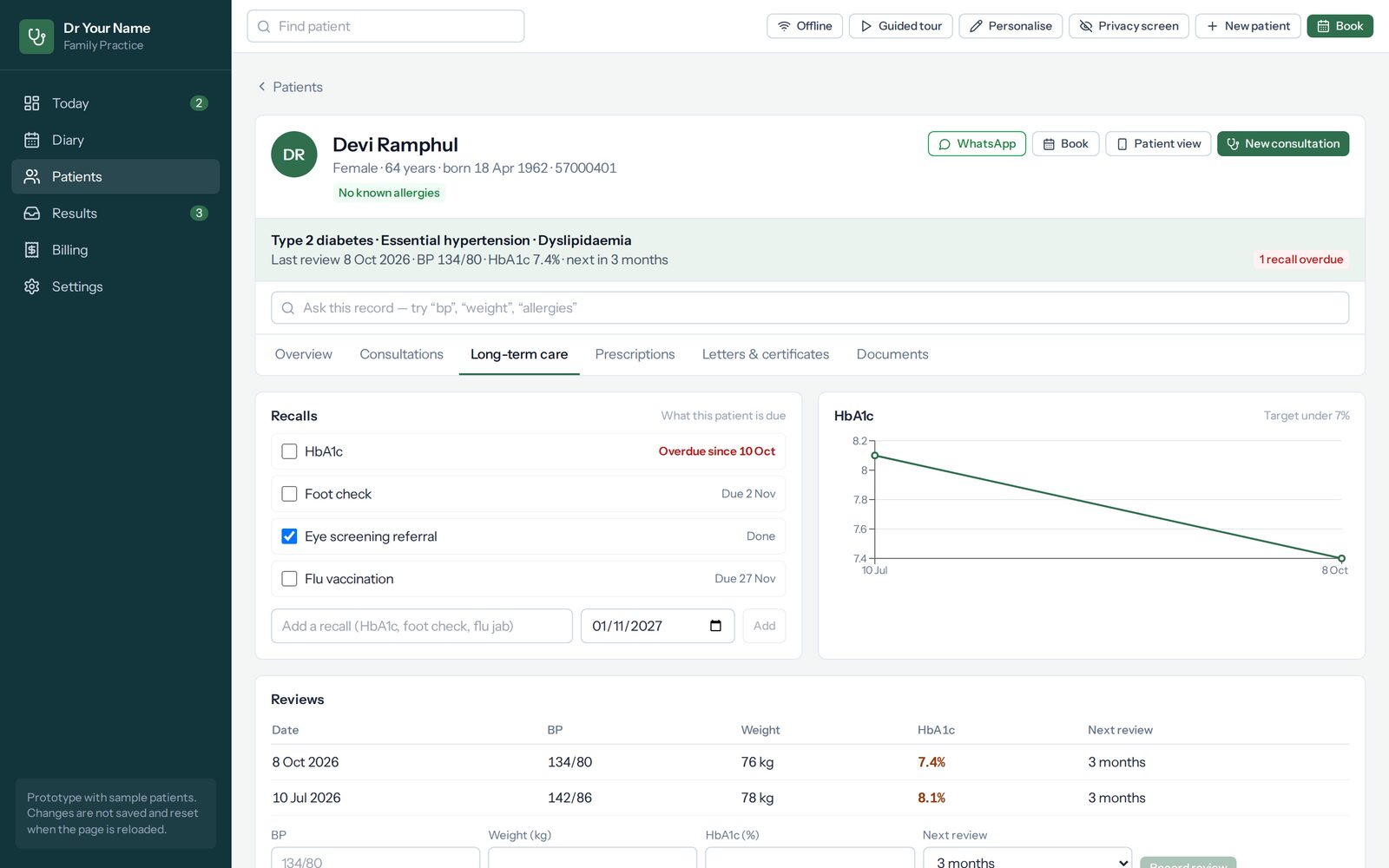
General practice
Recording a long-term condition starts the recalls it commits you to.
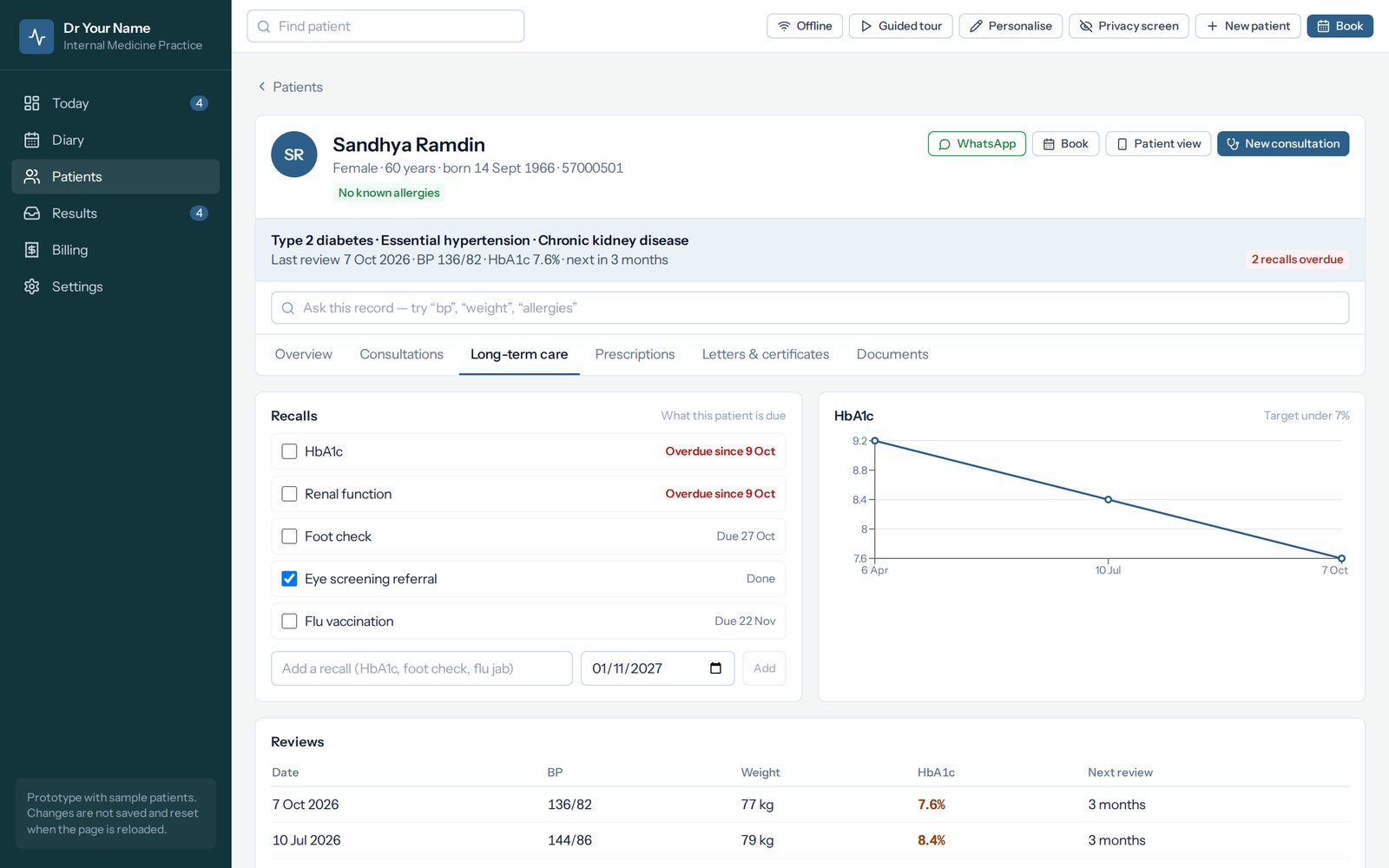
General medicine
HbA1c, kidneys, feet, eyes and vaccination — each with its own next date rather than one yearly review.
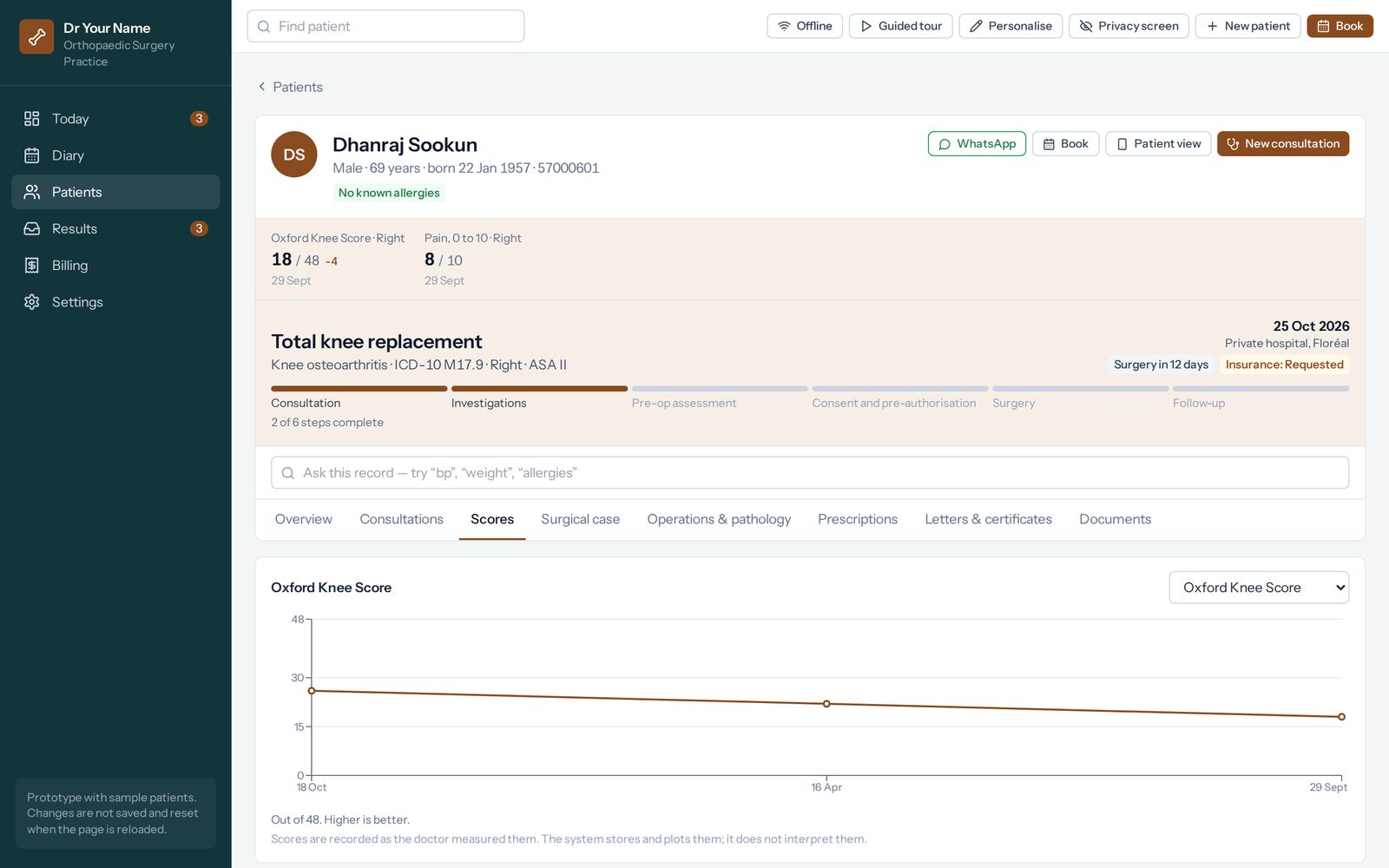
Orthopaedics
Function scored and plotted, so recovery is something you can turn round and show a patient.
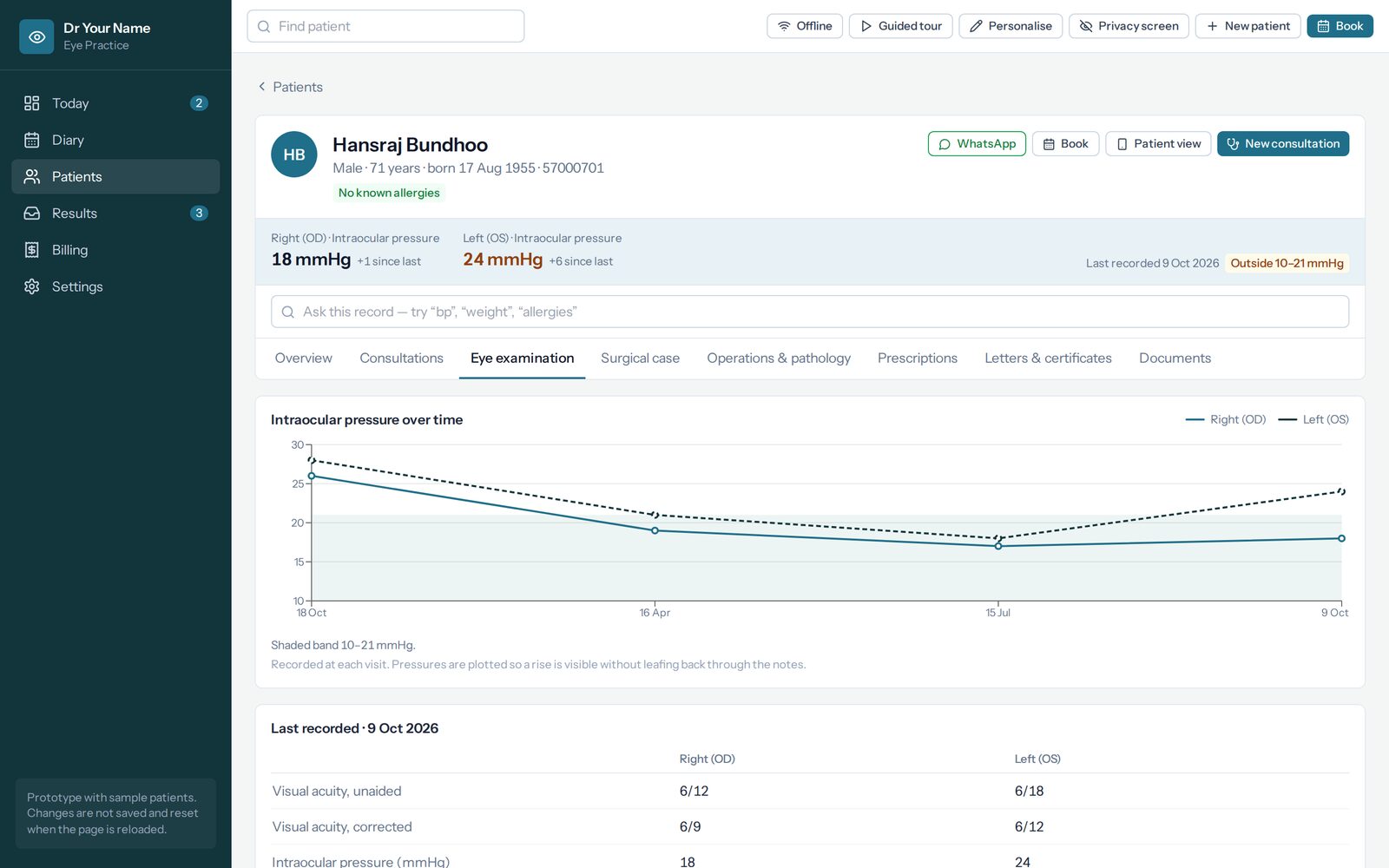
Ophthalmology
Both eyes side by side, with pressure plotted against the band you set for that patient.
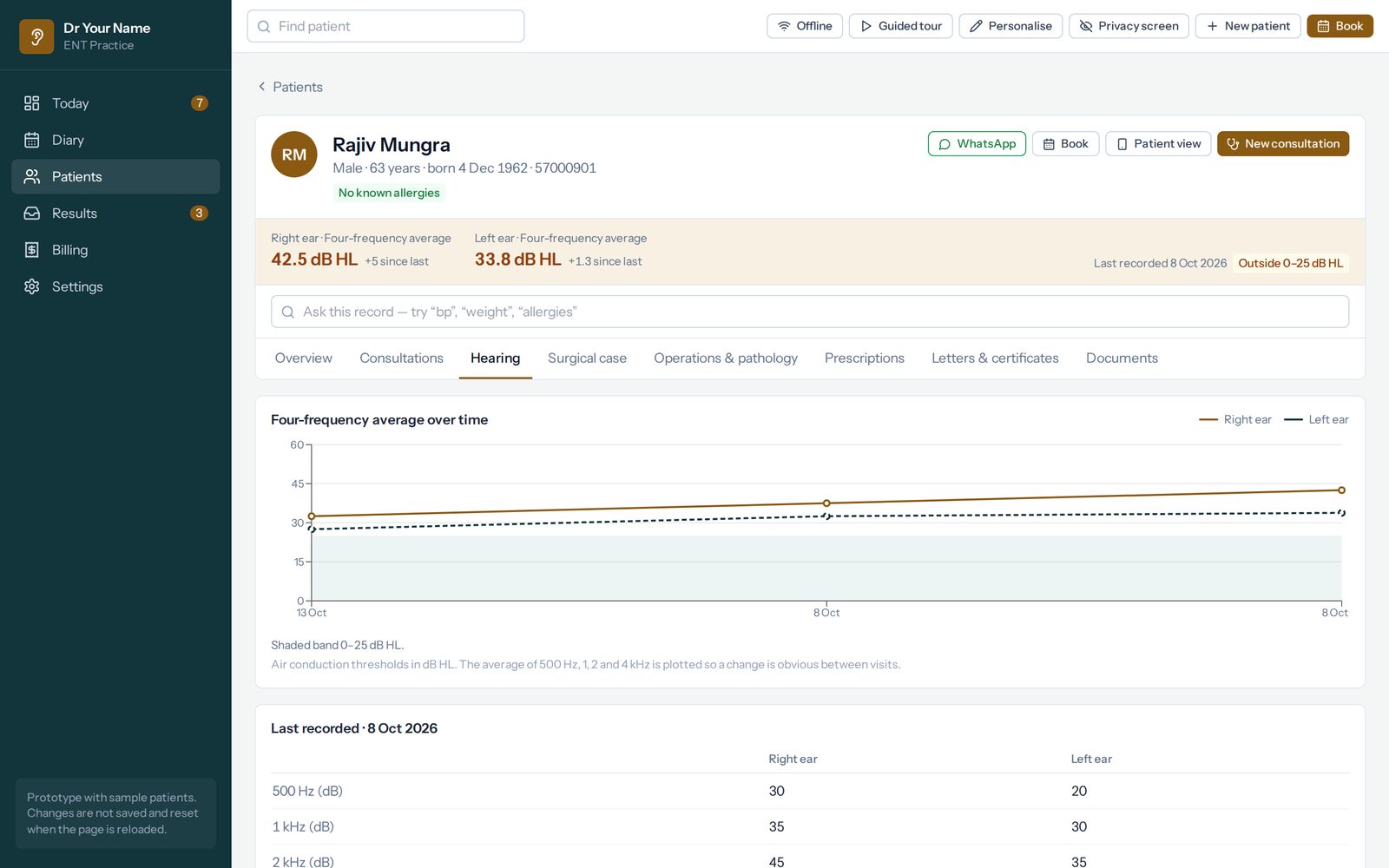
Ear, nose and throat
Thresholds for each ear, and no four-frequency average at all when a frequency is missing.
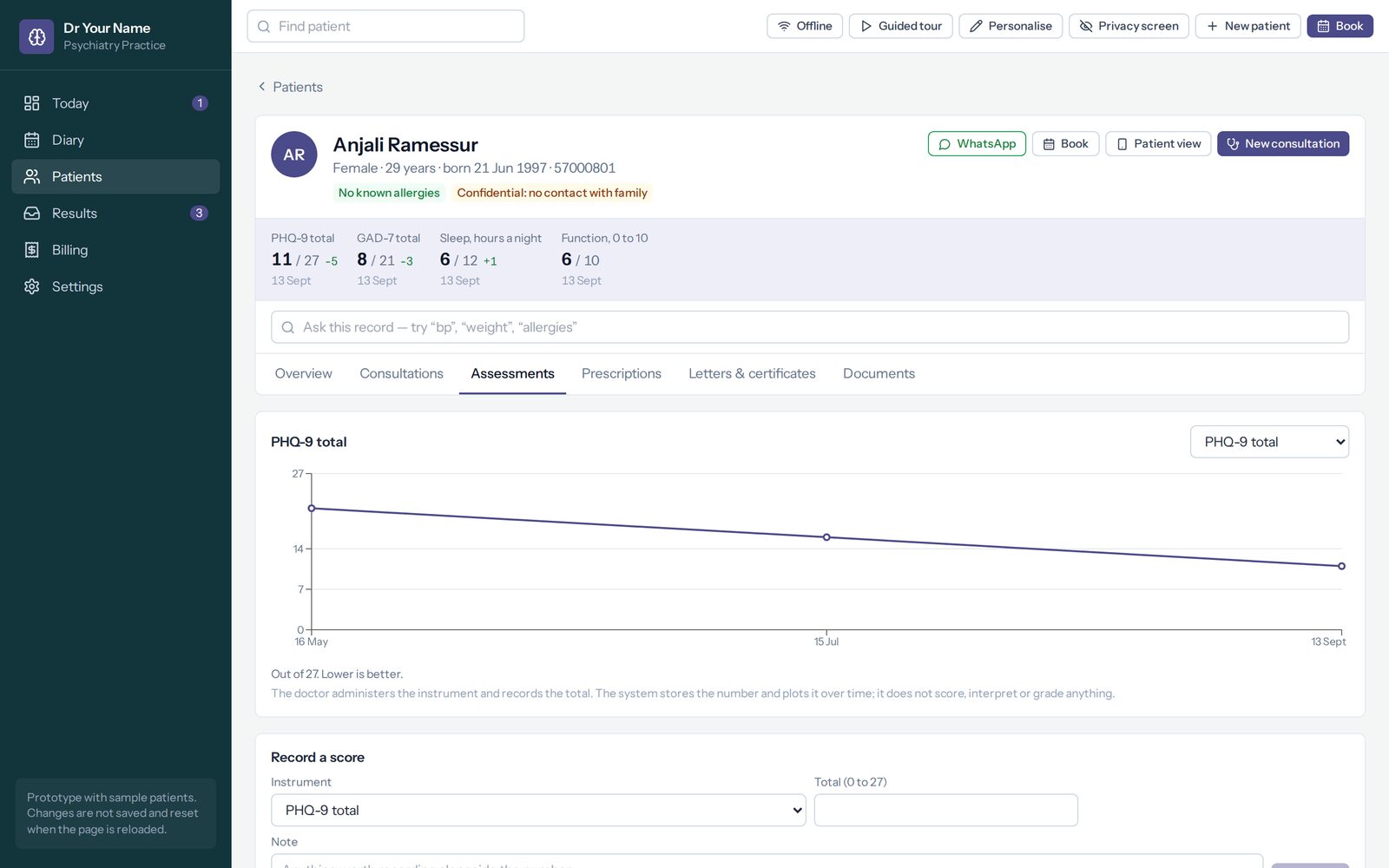
Psychiatry
Discreet from the first minute: no visit type in a reminder, no booking by a stranger with a link.
The oncology pack is built, and its demo is with an oncologist before it is shown to anybody else.
It is the one specialty where being wrong about a list has consequences beyond annoyance.
Oncology
The cancer as its own record — cycles given or held, lesions measured and summed. It calculates no dose.
What you are getting, and what you are not
- It is the real interface. Every screen the specialty has is reachable, in the order you would reach it.
- The patients are invented. Names, dates, results and letters, all made up for the demo.
- Nothing is saved. Type what you like. Reloading starts it again.
- It runs with no internet. It is one file; the same one goes to a first meeting on a USB stick, because a consulting room is exactly where the wifi fails.
- It is not connected to anything. No account, no server, no data leaving the page.
- A guided tour is built in. Press “Guided tour” at the top to be walked through your specialty’s own screens.
Start with the one closest to your practice
They are all the same system. What differs is the content: the consultation forms, the diagnoses, the medicines, the appointment types, the tests and what each one calls patients back for.
The other six open in a new tab: general practice, general medicine, orthopaedics, ophthalmology, ear, nose and throat and psychiatry.
Oncology is not here, on purpose
The oncology pack is built — the cancer as its own record, treatment in cycles, lesions measured and summed — and its demo is being read by an oncologist before it is shown to anybody else. It is the one specialty where being wrong about a list has consequences beyond annoyance, and the content was written without an oncologist in the room.
If you are an oncologist, that reading is the conversation we would like to have with you. What the pack does is written up in full.
A demo is not a trial
What a demo cannot tell you is whether the diagnosis list is the one you actually use, whether the consultation forms are the right shape for how you work, or what you had to do outside the system on a normal clinic day. Those are the questions worth an hour of your time, and the answers are changes you can make yourself once you are set up.